 ClearNest
Junk Clean
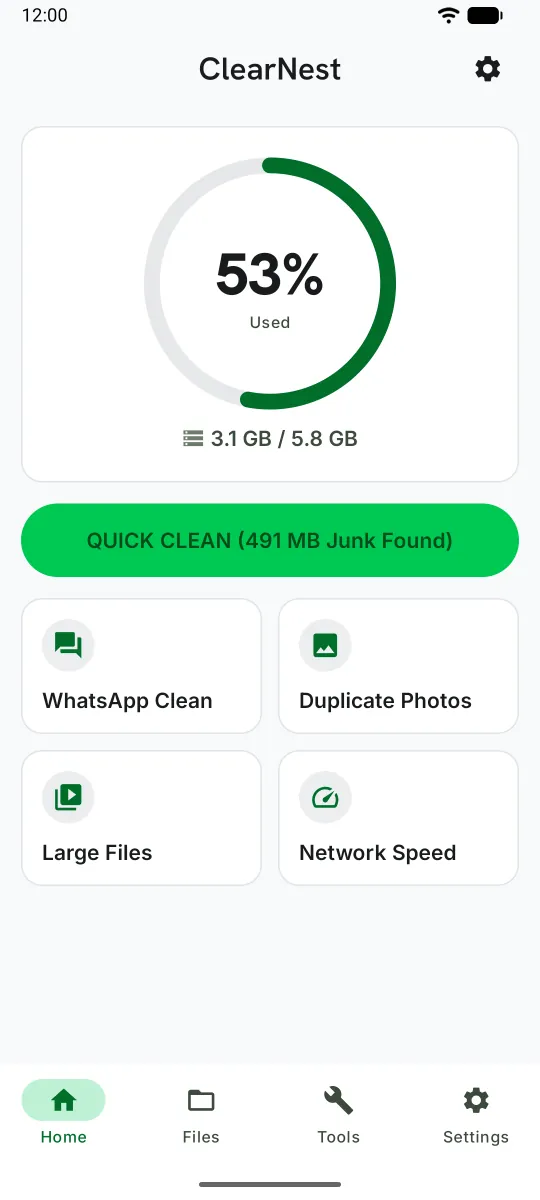
Finds ClearNest's own cache and photos and videos over 50 MB. Turn on optional All Files Access to also find old APKs, other large files, and empty folders. You review the list first.

Storage cleaner for Android
ClearNest shows you what's really taking up room on your phone — duplicate photos, large videos, and WhatsApp media — and lets you decide what goes. Everything is scanned on your device, and your files are never uploaded.
You review. You decide.Nothing is deleted until you tap Clean.
Focused tools that show you what's really on your phone — and leave the decisions to you.
Finds ClearNest's own cache and photos and videos over 50 MB. Turn on optional All Files Access to also find old APKs, other large files, and empty folders. You review the list first.
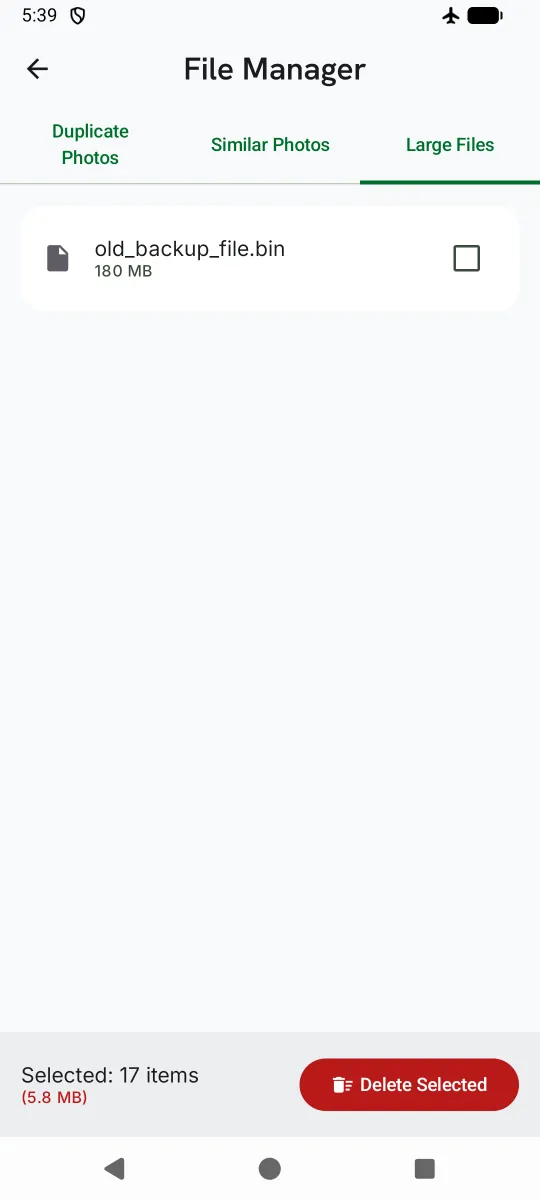
Exact duplicates are matched by their file contents, not just their names, and the highest-resolution copy is marked Keep. Similar shots are grouped side by side so you can pick your favorite — they're never selected for you.
Lists photos and videos over 50 MB, biggest first. With optional All Files Access, it also lists other large files, such as ZIP archives, PDFs, and audio.
Finds WhatsApp photos and videos saved on your phone and groups them by type. With optional All Files Access, it can also find voice notes and stickers. You choose which categories to clear.
Check your download speed and ping in a few seconds. Upload speed is estimated from your download result, not measured separately.
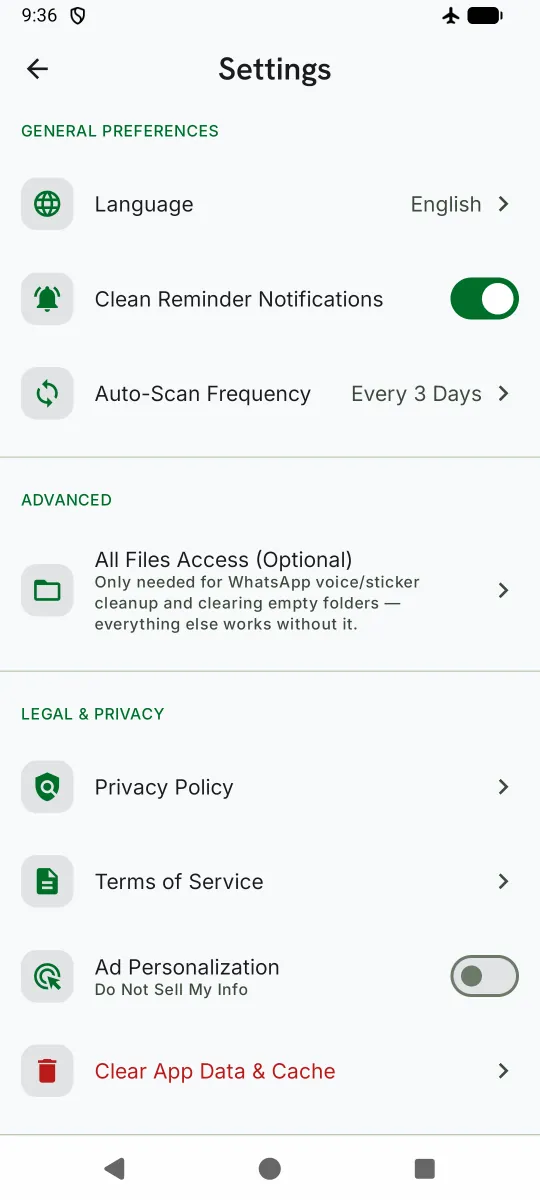
ClearNest can check your real free space in the background and notify you only when storage is actually running low. Turn reminders off anytime in Settings.
Three steps. You stay in control the whole time.
Open ClearNest and allow access to your photos and videos. The scan runs entirely on your device.
See exactly what was found, grouped by category, with the size of each item. Uncheck anything you want to keep.
Tap Clean when you're ready — nothing is removed before that. Deleted files can't be restored, so give the list a quick look first.
Real screens from the app.
Privacy by design
ClearNest scans, compares, and cleans locally. There's no account, no cloud upload, and no analytics or advertising SDK in the app.
Photos are compared right on your phone. File names, sizes, and contents never leave it.
No sign-up, no login, no email address.
Photos and videos, to find duplicates and large videos. Notifications, for low-storage reminders you can turn off. All Files Access is optional: it adds old APKs, other large files, empty folders, and WhatsApp voice notes and stickers. No camera, microphone, contacts, or location access.
When you run a speed test, your phone connects to public test servers run by Cloudflare and Google — just like opening a web page. No files or personal data are sent.
The current version of ClearNest shows no ads and includes no ad SDK.
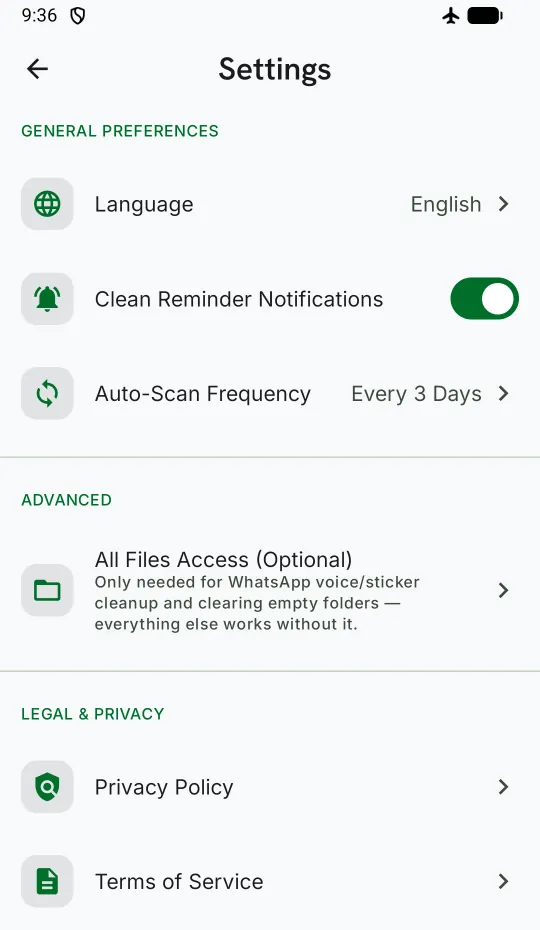
The ClearNest app is available in 9 languages. It follows your phone's language automatically, or you can choose one in Settings.
This website is currently available in English only.
No. Android doesn't let a regular app read or delete other apps' private caches, and ClearNest doesn't pretend otherwise. It clears its own cache, plus files you choose from your phone's shared storage — like duplicate photos, large videos, and WhatsApp media, and, with optional All Files Access, old APK installers and other large files. To clear another app's cache, go to your phone's Settings > Apps.
No. Scanning, duplicate detection, and cleanup all happen on your device. The only time ClearNest uses the internet is when you run the Network Speed Test.
You don't have to — it's optional and only requested if you turn it on in Settings. Without it, ClearNest can scan your photos and videos and its own cache. With it, ClearNest can also find old APK installers, large non-media files like ZIPs and PDFs, empty folders, and WhatsApp voice notes and stickers. All Files Access is available on Android 11 and later.
No. Files you clean are permanently deleted from your device — there's no recycle bin, and we can't restore them. That's why nothing is deleted until you review the list and tap Clean. For photos you can't replace, keep a separate backup, such as a cloud photo backup.
Duplicates are exact copies with identical file contents, so they're selected for you, with the highest-resolution copy marked Keep. Similar photos, like several shots of the same scene, are matched visually. That's less exact, so they're never selected for you — you choose which ones to remove.
ClearNest frees up storage space. It doesn't boost your processor, memory, battery, or network. If your phone was struggling because storage was almost full, more free space can help — but we won't promise a speed-up.
ClearNest is free to download. The current version shows no ads. If that ever changes, we'll update our Privacy Policy first, before that version is released.
Android 8.0 or later. What ClearNest can find depends on your Android version and permissions. On Android 11 and later, old APK installers, non-media large files, empty folders, and WhatsApp voice notes and stickers need optional All Files Access. Android 10 doesn't offer All Files Access, so those items aren't available there. WhatsApp cleaning needs Android 10 or later.

Get ClearNest free on Google Play. No account, no sign-up — just open it and scan.